
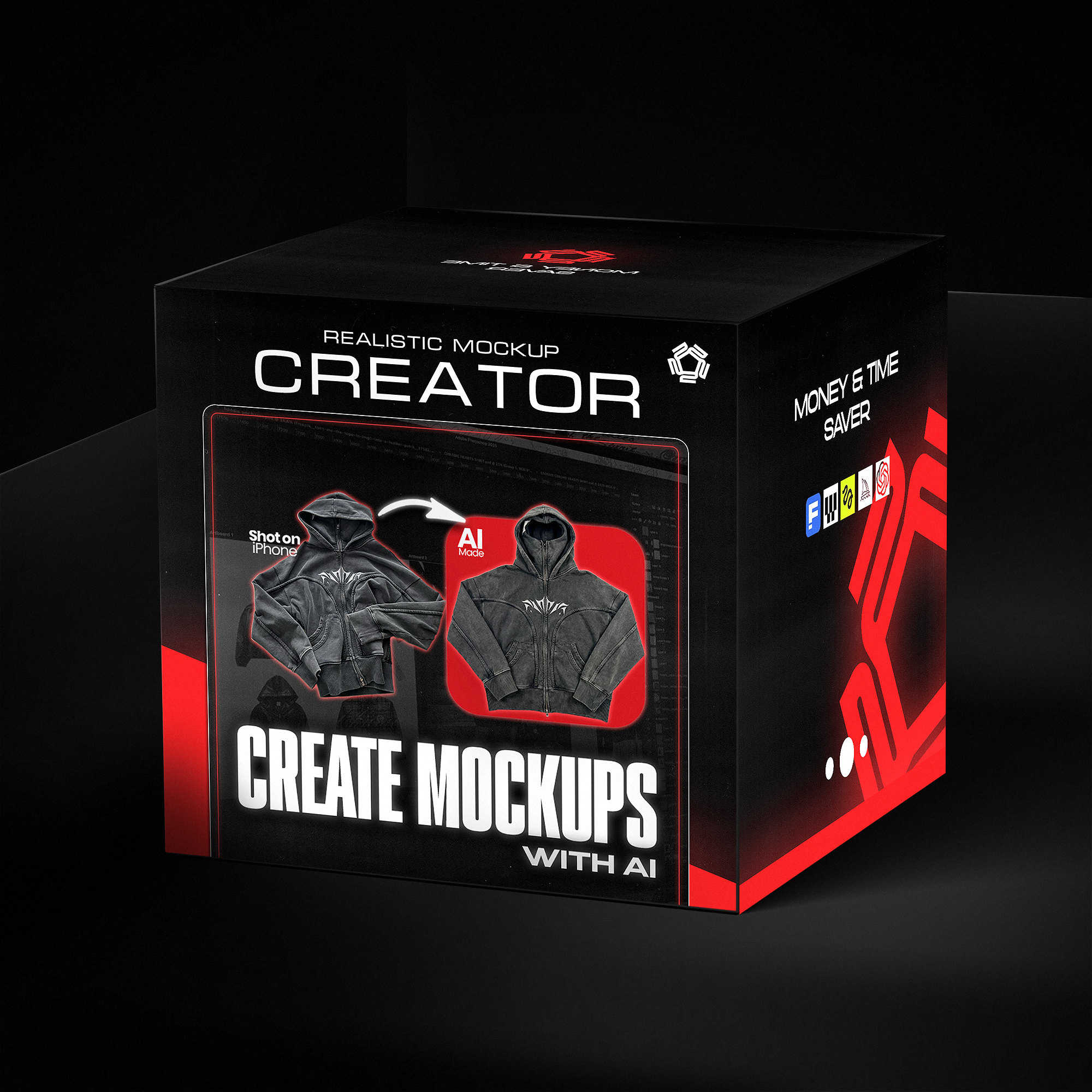


Turn your images into mockups or product images - AI WORKFLOW SYSTEM
- Instant download
- Lifetime access
- Free updates
- 100% secure checkout
Transform flat mockups into realistic product images — no samples needed.


Used by Industry Pros

@designerofanything
Fashion Designer
Head Designer of Manifest

mmosel
Fashion Consumer
Clothing-related educational content

Joshua A.
Cinematographer & Colorist
Founder of Melior Studios

Megan Tan
Filmmaker & YouTuber
Lifestyle and inspirational content
8 Min
Advanced video guide
Learn the exact workflow to transform basic photos or flat designs into 4K product images — ready for your store.
Any Image
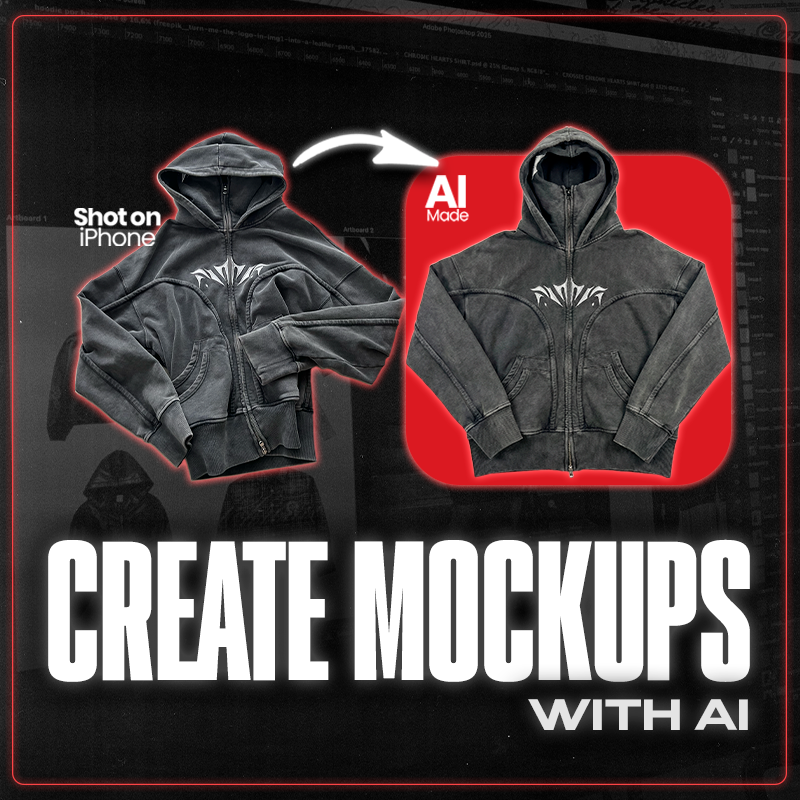
iPhone photos → Studio shots
Turn simple garment photos into professional product images. No studio, no photographer — just AI and your phone.
Freepik Workflow
Ready-to-use AI system
Get my exact prompts and workflow file. Plug in your image, follow the steps, and export marketing-ready visuals.

Learn how to transform basic garment photos and flat designs into 4K product images — without photoshoots or expensive equipment.

Watch the complete workflow from sketch to photorealistic result. Plus a 10-page PDF with prompt templates ready to use.
Learn how to transform basic garment photos and flat designs into 4K product images — without photoshoots or expensive equipment.
Watch the complete workflow from sketch to photorealistic result. Plus a 10-page PDF with prompt templates ready to use.
Before/after using the guide
Turn your designs to reality.

Before

After
What exactly is included in this bundle?
Bring your clothing designs to life with next-level AI tools — no photographers, no samples, no waiting.
This advanced video guide walks you through the exact AI workflow used to turn basic photos took with an iPhone and flat designs into 4K, studio-level product images — ready for websites, lookbooks, and social media.
Built specifically for streetwear brands, fashion designers, and independent label owners who want professional visuals without production delays or high costs.
The workflow demonstrated is the same system shown in the product preview visuals.
💡 What’s inside:
-
Step-by-step video workflow showing how to transform flat designs or simple garment photos into realistic 4K product images
-
My exact AI prompts for achieving clean lighting, accurate textures, and realistic fabric detail
-
How to clean, rebuild, and prep real garment photos
-
Real examples showing the full process — from raw input to final marketing-ready mockups
🚀 Why you need this guide:
-
Skip expensive samples, photoshoots, and long production timelines
-
Test designs, colors, and silhouettes in minutes
-
Create consistent, professional visuals for your brand instantly
-
Perfect for validating drops, running pre-orders, and building hype
-
Learn the exact visualization process modern streetwear brands use before production
✅ What you get:
-
✅ 8-Minute Advanced Video Guide
-
✅ Ready-to-use AI workflow file (Freepik)
-
✅ Paid AI software required (links included)
-
✅ Designed specifically for fashion & streetwear creators
How do I use it ?
Download & Access: After purchase, you'll receive instant access to the 8-minute advanced video guide plus the ready-to-use AI workflow file for Freepik.
Prepare Your Image: Start with a flat design, sketch, or even a basic iPhone photo of a real garment. The guide shows you exactly how to prep your images.
Set Up the AI Tool: Open Freepik's AI tool (paid software — link included). Load the provided workflow file.
Follow the Video: Watch the step-by-step walkthrough. I show you how to transform basic photos or flat designs into 4K studio-quality product images.
Use the Prompts: Copy my exact prompts for clean lighting, accurate textures, and realistic fabric detail. Paste, generate, refine.
Export & Use: Your images are ready for your website, e-commerce store, lookbooks, or social media.
Frequently Asked Questions
Q: What kind of images can I transform?
A: Both flat designs/mockups AND real garment photos (even iPhone shots). The guide covers how to turn any image into a professional product mockup.
Q: What AI software do I need?
A: This guide uses Freepik's AI tools — a paid platform. Link included in the guide.
Q: Is this different from the other AI guides?
A: Yes. The other guides focus on turning designs into realistic model shots. This one specifically creates clean product images and e-commerce mockups — perfect for your online store.
Q: Can I use iPhone photos?
A: Yes. The workflow is designed to transform basic garment photos (taken with your phone) into studio-quality product shots.
Q: What's included exactly?
A: 8-minute advanced video guide, ready-to-use Freepik workflow file, and my exact prompts for 4K results.
Q: Will the results look professional?
A: Yes. The prompts are designed for clean lighting, accurate textures, and realistic fabric detail — marketing-ready output.
Q: Can I use these for my store?
A: Absolutely. The images you create are perfect for e-commerce, lookbooks, social media, and pre-order campaigns.
Q: Do I need design experience?
A: No. The video walks you through every step. If you can follow instructions, you can create professional product images.
Q: How will I receive the guide?
A: Instantly after purchase. Download link sent to your email with all files included.
Q: Do you offer refunds?
A: As a digital product, all sales are final. But with the complete workflow and prompts, you'll have everything to start creating studio-quality product images immediately.
