
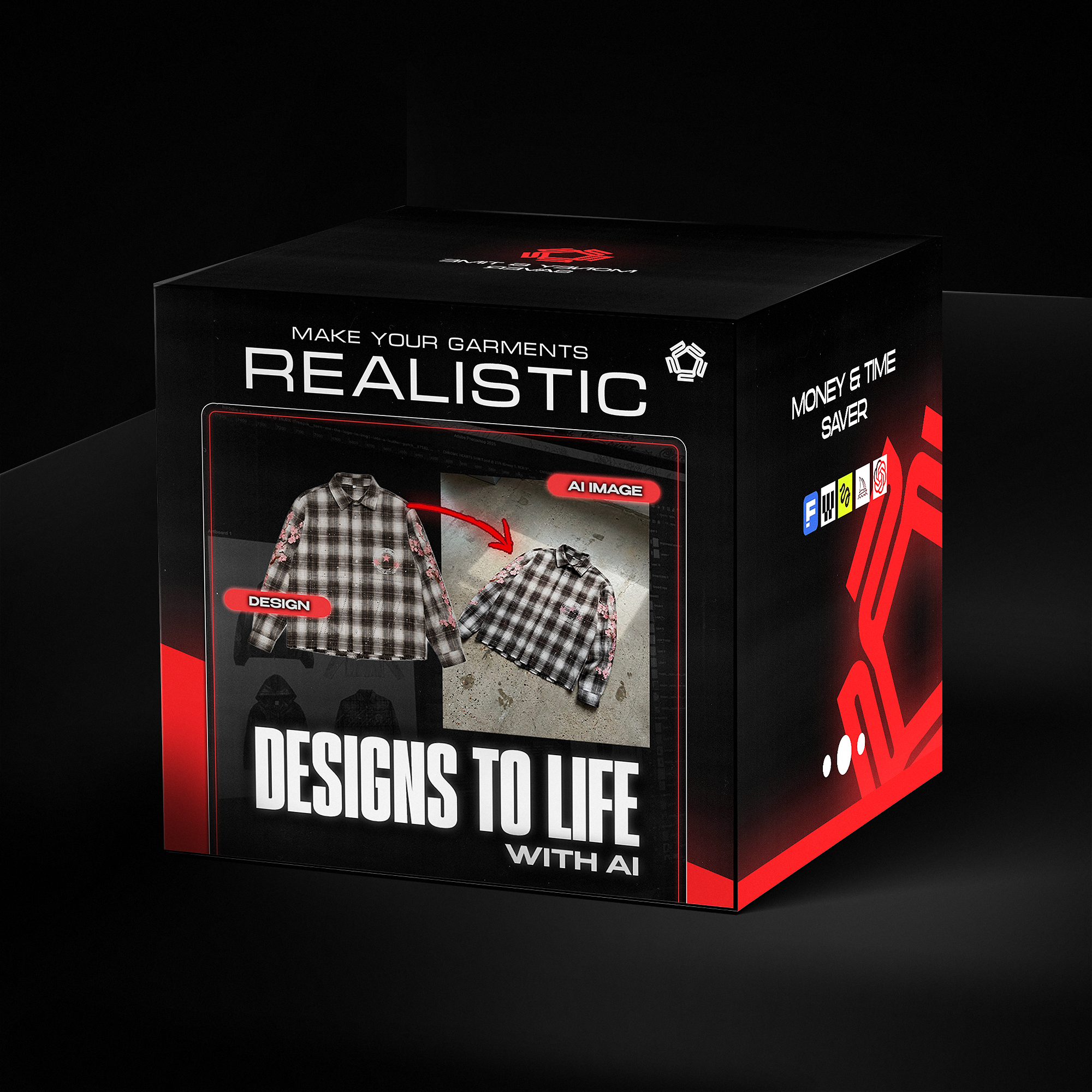


Turn Your Designs To LIfe With AI - GUIDE
- Instant download
- Lifetime access
- Free updates
- 100% secure checkout
Transform flat mockups into realistic product images — no samples needed.


Used by Industry Pros

@designerofanything
Fashion Designer
Head Designer of Manifest

mmosel
Fashion Consumer
Clothing-related educational content

Joshua A.
Cinematographer & Colorist
Founder of Melior Studios

Megan Tan
Filmmaker & YouTuber
Lifestyle and inspirational content
8 Min
Full video tutorial
Watch the complete workflow from sketch to photorealistic result. Plus a 10-page PDF with prompt templates ready to use.
Skip Samples
Validate before production
Stop waiting weeks for samples. Test colorways, get feedback, and run pre-orders — all before spending on manufacturing.
Ready-to-Use Prompts
Tested for maximum realism
No more generic AI results. Get my personal prompt library, refined to create images that look like real photoshoots.

Learn how to transform flat mockups into stunning, photorealistic fashion images using AI. Validate your ideas, create content, and launch faster.

Watch the complete workflow from sketch to photorealistic result. Plus a 10-page PDF with prompt templates ready to use.
Learn how to transform flat mockups into stunning, photorealistic fashion images using AI. Validate your ideas, create content, and launch faster.
Watch the complete workflow from sketch to photorealistic result. Plus a 10-page PDF with prompt templates ready to use.
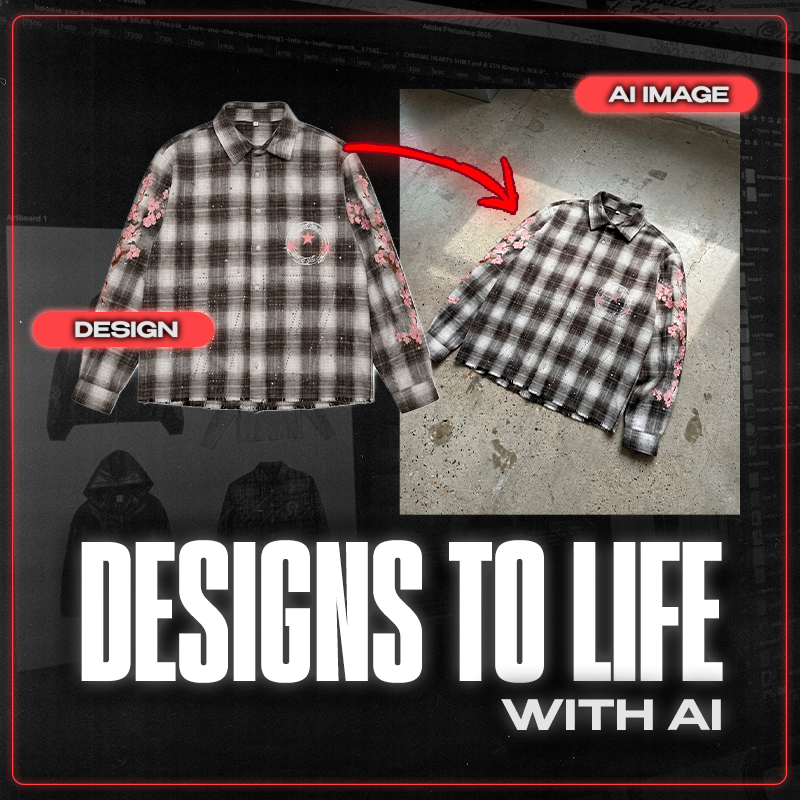
Before/after using the guide
Turn your designs to reality.

Before

After
What exactly is included in this bundle?
Turn Your Designs Into Realistic Fashion Images – No Samples Needed
🎥 Video Guide + 10-Page PDF | Works with Nano Banana Pro (Gemini Version)
Stop waiting weeks for samples just to see how your designs look in real life. This step-by-step guide teaches you how to transform flat mockups into stunning, photorealistic fashion images using AI — in minutes, not months.
Perfect for streetwear brands, fashion students, and independent designers who want to move fast.
💡 What You'll Learn:
From Sketch to Photoshoot
Upload your design and watch AI turn it into a realistic product image — complete with fabric textures, natural wrinkles, and studio-quality lighting.
Prompts That Actually Work
Get my personal prompt library, tested and refined for maximum realism. No more generic AI results.
Photoshop Finishing Touches
Learn quick edits to polish your AI images and make them indistinguishable from real photos.
Real Examples Included
See the full process: from rough sketch → AI generation → final polished result.
🚀 Why This Changes Everything:
- Skip early samples — validate your designs before spending on production
- Test colorways instantly — try 10 variations in the time it takes to make 1 sample
- Get real feedback — show your audience and gauge interest before you commit
- Create scroll-stopping content — fuel your Instagram and TikTok without waiting on manufacturers
- Run pre-orders with confidence — sell drops before they exist
✅ What's Included:
- 10-page quick-start PDF guide
- Full video tutorial (8 minutes)
- Ready-to-use prompt templates
- Photoshop finishing workflow
⚠️ Requirements:
This guide uses Nano Banana Pro (Gemini version) — a paid AI tool. You'll need access to use the techniques shown.
🎯 This Is For You If:
- You're tired of waiting weeks for samples
- You want to validate designs before production
- You need content but don't have physical products yet
- You're building a fashion brand on a budget
One guide. Unlimited designs. Zero samples.
How do I use it ?
Download & Access: After purchase, you'll receive instant access to the 8-minute video tutorial and 10-page PDF guide with ready-to-use prompt templates.
Set Up Your AI Tool: Open Nano Banana Pro (Gemini version) — the AI tool used in this guide. Link included in the PDF.
Watch the Tutorial: Follow along with the video walkthrough. I show you the complete process from flat mockup to realistic fashion image.
Use the Prompts: Copy my personal prompt templates directly from the PDF. Paste them into the AI tool and generate your first images.
Finish in Photoshop: Apply the quick editing techniques shown in the guide to polish your AI results and make them look like real photos.
Export & Use: Your images are ready for Instagram, your store, lookbooks, or pre-order campaigns.
Frequently Asked Questions
Q: Is this suitable for beginners?
A: Yes. The guide is designed as a starting point. No prior AI experience needed — just follow the video step-by-step.
Q: What AI software do I need?
A: This guide uses Nano Banana Pro (Gemini version) — a paid AI tool. You'll need access to use the techniques shown. Link included in the guide.
Q: Is the AI tool free?
A: No. Nano Banana Pro is a paid tool. If you want to start with free AI tools first, check out our AI Workflow Bundle which includes guides for both free and paid options.
Q: What's the difference between this and the Advanced Guide?
A: This Beginner Guide is 8 minutes, uses Nano Banana, and covers the fundamentals. The Advanced Guide (€29,99) is 18 minutes, uses different premium tools, produces 4K results, and includes mockup rebuilding techniques.
Q: Will my images look "AI-generated"?
A: The prompts are specifically engineered to avoid the generic AI look. You'll get realistic lighting, fabric textures, and editorial aesthetics.
Q: Can I skip samples completely?
A: Yes — that's the point. Validate your designs, test colorways, create content, and run pre-orders before spending on production.
Q: What's included exactly?
A: 8-minute video tutorial, 10-page PDF guide, ready-to-use prompt templates, and Photoshop finishing workflow.
Q: Can I use the results for my brand?
A: Yes. Use the images you create for your store, social media, lookbooks, client work — whatever you need.
Q: How will I receive the guide?
A: Instantly after purchase. Download link sent to your email.
Q: Do you offer refunds?
A: As a digital product, all sales are final. But the step-by-step format ensures you can follow along and get results from day one.
